
Laptop Friendly Cafes in Nanuet, NY

We've found 3 laptop-friendly spots in Nanuet, New York where you can work remotely, study, or meet with clients.

Work Signals in Nanuet, New York

Based on 3 certified venues with an aggregate public review count of 811, these are the strongest signals for choosing a laptop-friendly place to work.

laptop-friendly policies

3

100% of certified venues with this signal

Wi-Fi evidence

2

67% of certified venues with this signal

quiet or ambient noise levels

1

33% of certified venues with this signal

roomy interiors

1

33% of certified venues with this signal

High-signal anchors

Average rating across listed certified venues: 4.4.

Review-backed notes

  • Roast'd Coffee - Nanuet: Customers appreciate the cozy ambience; with fast Wi-Fi and a quiet atmosphere, Roast'd Coffee in Nanuet is perfect for focused work sessions.
  • Starbucks: Customers appreciate the fast Wi-Fi and laptop-friendly environment, making this Starbucks a perfect spot for group study sessions while enjoying a welcoming atmosphere.
Certified WFH Badge =
💰 Free or free with coffee
📶 Reliable WiFi
💻 Laptop-friendly workspace
Coffee & Tea available
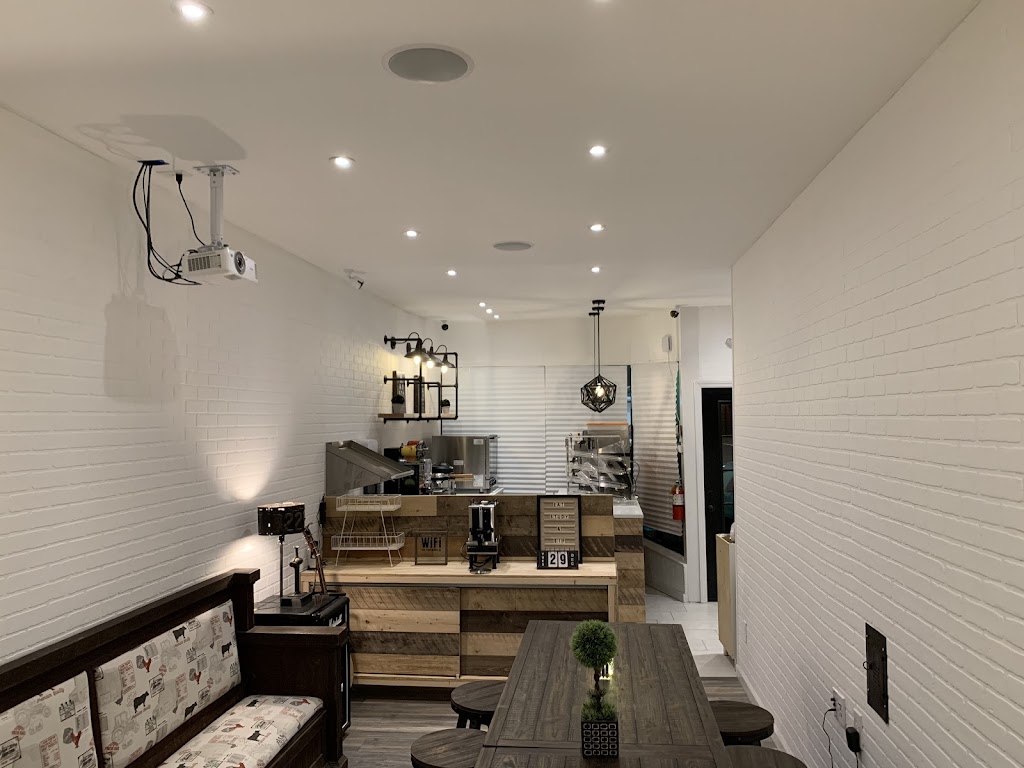
Photo of Roast'd Coffee - Nanuet

Roast'd Coffee - Nanuet

1131 Fashion Dr
Nanuet, NY 10954

(929) 607-4006

185 reviews ⭐ 4.8
Allowed Has WiFi Ambient Noise Comfortable

Customers appreciate the cozy ambience; with fast Wi-Fi and a quiet atmosphere, Roast'd Coffee in Nanuet is perfect for focused work sessions.

Certified WFH Badge
View Details Visit Website
Photo of Eat Study & Sip

Eat Study & Sip

199 Main St
Nanuet, NY 10954

(845) 442-3017

89 reviews ⭐ 4.8
Allowed Quiet Study
Certified WFH Badge
View Details
Photo of Starbucks

Starbucks

126 Rockland Plaza
Nanuet, NY 10954

(845) 624-2085

537 reviews ⭐ 3.7
Allowed Has WiFi Group Study

Customers appreciate the fast Wi-Fi and laptop-friendly environment, making this Starbucks a perfect spot for group study sessions while enjoying a welcoming atmosphere.

Certified WFH Badge
View Details Visit Website

View Options