Laptop Friendly Cafes in Bridgeport, CT

We've found 6 laptop-friendly spots in Bridgeport, Connecticut where you can work remotely, study, or meet with clients.

Work Signals in Bridgeport, Connecticut

Based on 6 certified venues with an aggregate public review count of 2,359. The filters and recommendations below come from curated review-derived labels, not assumptions about every venue.

6 venues include a review-backed summary and 6 include field-level evidence for at least one work feature.

Best matches by workday

Quiet focus

Review-derived signals point to quiet or steady ambient sound.

  • Sound Coffee · 4.7 · 321 reviews

    The review mentions needing a 'quiet spot to work', which suggests that while the atmosphere is generally pleasant, there is some level of background noise that may not be completely silent but is manageable for working.

laptop-friendly policies

6

100% of certified venues with this signal

Wi-Fi evidence

6

100% of certified venues with this signal

quiet or ambient noise levels

1

17% of certified venues with this signal

reliable seating

1

17% of certified venues with this signal

roomy interiors

1

17% of certified venues with this signal

High-signal anchors

Average rating across listed certified venues: 4.1.

Review-backed notes

  • Harborview Market: Customers appreciate the pastries; with fast Wi-Fi and plenty of seating, Harborview Market offers a comfortable spot for remote work alongside delicious snacks.
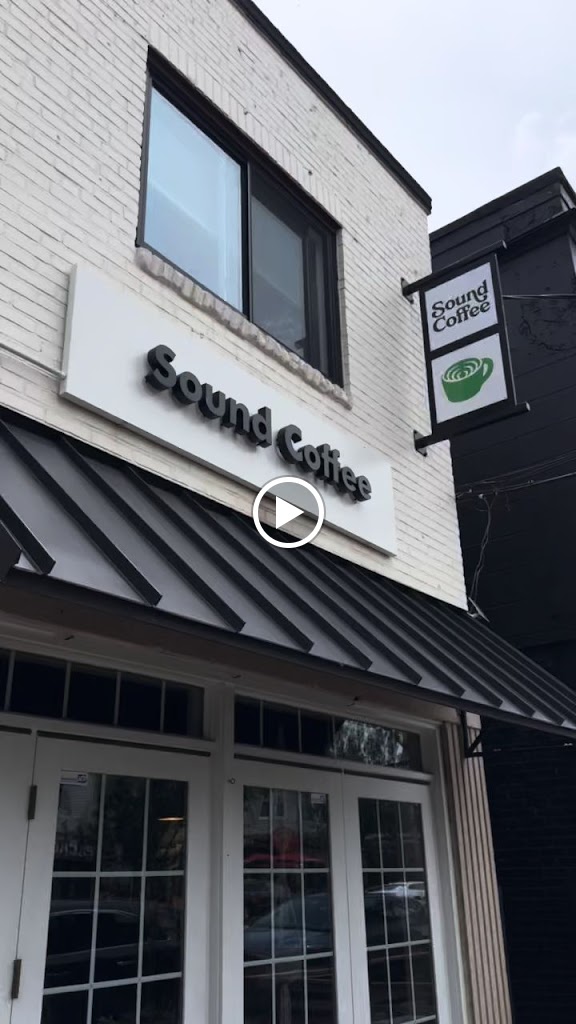
  • Sound Coffee: Customers love the fast Wi-Fi and the cozy ambience at Sound Coffee, making it a perfect spot for focused work or study sessions amidst manageable background noise.
  • Fruta Deli and Cafe: Customers appreciate the fast Wi-Fi and spacious seating at Fruta Deli and Cafe, making it a comfortable spot for focused work, with delicious food keeping them fueled.
Certified WFH Badge

What certification means

Each listed venue was personally reviewed for laptop-work suitability. Wi-Fi, power, seating, noise, meeting, and outdoor-work badges appear only when the curated review evidence supports that specific field; missing badges mean unknown, not guaranteed.

Top review-backed matches

Ordered by curated work signals, then public review volume and rating.

Photo of Harborview Market

Harborview Market

218 Harborview Ave
Bridgeport, CT 06605

(203) 367-7336

811 reviews ⭐ 4.5
Allowed Has WiFi Adequate Packed Basic

Customers appreciate the pastries; with fast Wi-Fi and plenty of seating, Harborview Market offers a comfortable spot for remote work alongside delicious snacks.

Photo of Sound Coffee

Sound Coffee

2889 Fairfield Ave
Bridgeport, CT 06605

(475) 330-3439

321 reviews ⭐ 4.7
Allowed Fast Ambient Noise Cozy Basic

Customers love the fast Wi-Fi and the cozy ambience at Sound Coffee, making it a perfect spot for focused work or study sessions amidst manageable background noise.

Photo of Fruta Deli and Cafe

Fruta Deli and Cafe

1000 Lafayette Blvd
Bridgeport, CT 06604

(203) 522-4571

284 reviews ⭐ 4.6
Allowed Has WiFi Comfortable

Customers appreciate the fast Wi-Fi and spacious seating at Fruta Deli and Cafe, making it a comfortable spot for focused work, with delicious food keeping them fueled.

Photo of Starbucks

Starbucks

255 E Main St
Bridgeport, CT 06608

(203) 331-2952

766 reviews ⭐ 3.8
Allowed Has WiFi Packed

Customers appreciate the fast Wi-Fi, making this Starbucks a popular spot for studying, despite its crowded space. It's a go-to for those craving a productive atmosphere.

Photo of Starbucks

Starbucks

4531 Main St
Bridgeport, CT 06606

(475) 284-2111

104 reviews ⭐ 3.2
Allowed Has WiFi

Customers appreciate the fast Wi-Fi and laptop-friendly atmosphere at Starbucks in Bridgeport, perfect for focused work sessions with minimal distractions.

Photo of Starbucks

Starbucks

149 Mountain Grove St
Bridgeport, CT 06605

(475) 356-5986

73 reviews ⭐ 4.0
Allowed Has WiFi

Customers appreciate the fast Wi-Fi and laptop-friendly atmosphere at this Starbucks, making it a great spot to focus on work or studies while enjoying a warm beverage.

View Options